How to Blur a License Plate in Car Photos and Videos
Why sellers hide the plate, how to blur it by hand on iPhone, Android and in video editors, the mistakes that leave it readable, and how dealerships handle it across the whole stock.
How to blur a license plate (or number plate) in car photos and videos: why it is done, manual steps for phone and video editors, common mistakes, and the dealership approach.
Before a used car goes online, many sellers take one more step: they hide the license plate. Private sellers do it on a phone in a couple of minutes; dealerships face the same task on every vehicle, in every photo and, increasingly, in every video. This guide explains why the plate is blurred, whether you have to, and how to do it well by hand and at scale.
How to blur a license plate in a photo or video
To blur a license plate in a photo, open it in an editor with a blur, mosaic or pixelate tool, cover the whole plate and zoom in to check that no character can be read. In a video, apply the same effect and use a tracking or keyframe feature so it follows the plate as the car or camera moves. In the UK the same steps apply to a number plate blur.
Why blur a license plate?
There is no single reason. These are the considerations sellers and dealers mention most often; treat them as general points, not legal advice, and check the rules where you sell.
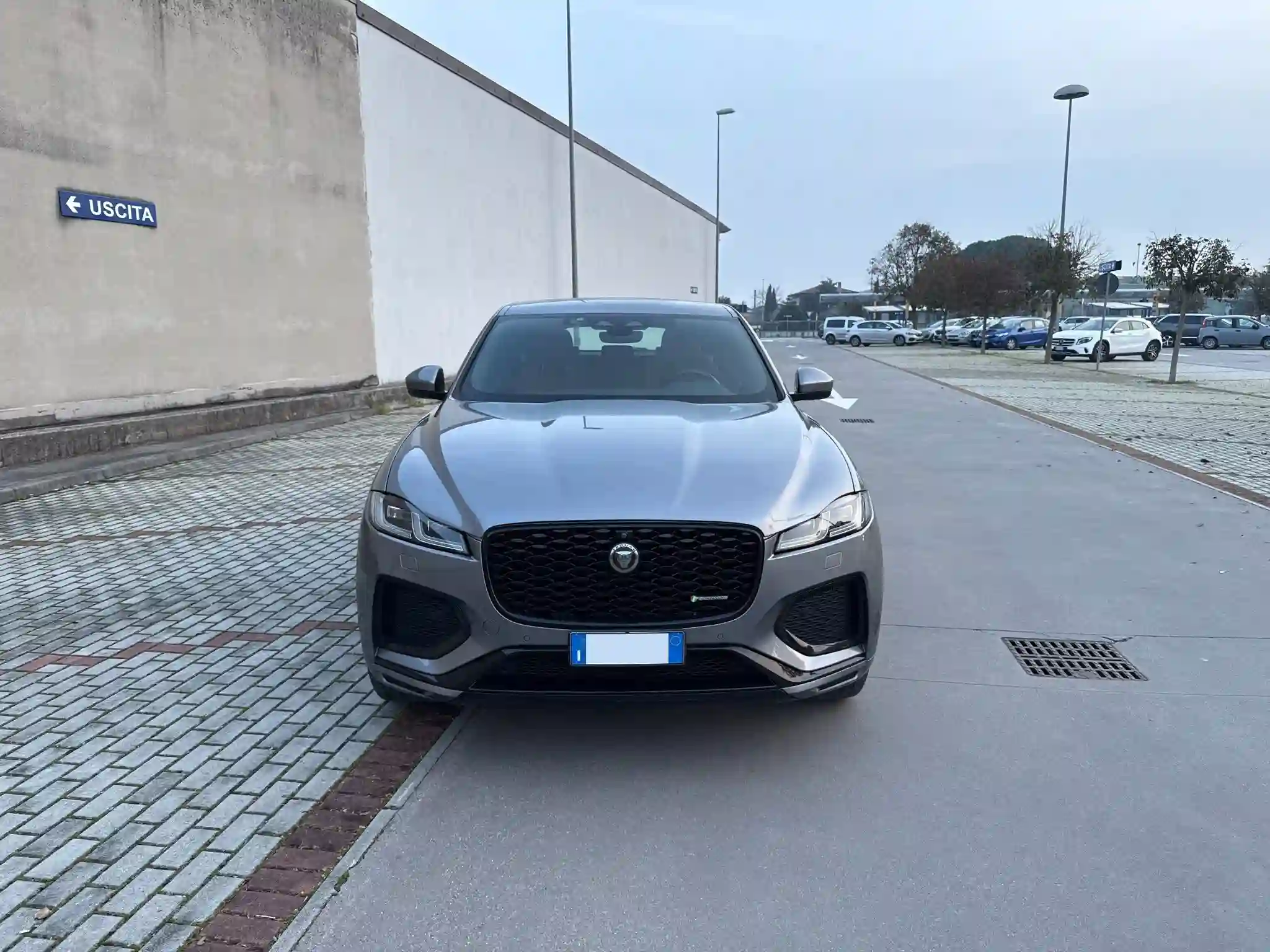
- Privacy: a plate in a public photo connects the vehicle with a place and, in some contexts, with its current or previous owner. Many sellers simply prefer not to publish it.
- Risk of plate cloning: a readable number can be copied onto fake plates for another car of the same model. Hiding it in public images removes one easy source; it does not make cloning impossible.
- Marketplace and portal norms: some platforms show listings with plates hidden or have their own photo guidelines. Read the policy of the site where you publish.
- Consistency of stock images: a dealer gallery where every plate is treated the same way looks tidier, and the attention stays on the car, its condition and equipment.
Is it required to blur a license plate when selling a car?
In most cases it is not a legal requirement for a sale listing: it is a choice. Some sellers and dealerships prefer it, others leave the plate visible so buyers can see that the car is registered. Rules on publishing images and personal data differ by country, and platforms can set their own photo rules, so check what applies to you before deciding. Whatever you choose, apply it to every photo and video of the same car.
How to blur a license plate in a photo on iPhone or Android
Phone editors change with every operating system update, so treat these as generic steps and look for equivalent tools in your app.
- Shoot the photos first, following a complete shot list. Our guide on how to photograph a car for sale covers light, angles and the full sequence.
- Open the image in an editor that has a blur, mosaic or pixelate brush, or a shape you can fill with a solid color. Some phones include it in the gallery app; otherwise use a photo editing app.
- Cover the whole plate, including the frame edges where single characters can remain visible.
- Choose a strong effect: a fine mosaic or a light blur can still be read when the image is enlarged.
- Zoom in on the result and save a copy, keeping the original for your records.
- Repeat on every photo where the plate appears: front, rear, three-quarter views and any shot where it shows in a reflection.
If you want an image with a ready-made cover, some people search for a 'license plate blur png' or a 'license plate blur cover' to place over the plate. It works, but check that the overlay is aligned with the plate's angle in every photo, otherwise it looks pasted on.
How to blur a license plate in a video (CapCut and other editors)
Video is harder than a photo because the plate moves through the frame. In CapCut and similar editors the general approach is the same, even if menu names vary by version and platform.
- Import the clip and add a blur or mosaic effect, often found under effects, adjustments or a dedicated 'blur' option.
- Resize and position the effect over the plate on the first frame where it appears.
- Use the tracking feature, if your editor has one, to let the effect follow the plate automatically; otherwise add keyframes and move the patch every few frames.
- Scrub through the whole clip: tracking can drift on turns, reflections or when the plate leaves and re-enters the frame.
- Export and watch the video at full screen on a phone and on a large display before publishing.
Common mistakes when blurring a plate
- Partial blur: a light effect or a patch that is too small leaves characters readable when zoomed.
- Inconsistency: the plate is hidden in the front photo but visible in the rear shot, in the video or in a reflection on a showroom window.
- Forgetting other places where the number appears: documents photographed for the listing, service books or windshield stickers. Think about whether they need to be shown at all, and avoid publishing documents with identification data such as the VIN unless you have a reason to.
- A cover that looks fake: overlays at the wrong angle or in a color that clashes with the car draw attention to the plate instead of hiding it.
- Losing the original: keep unedited copies, which you may need for your own records.
Quick checklist before you publish
- Every photo checked at full zoom: front, rear, three-quarter views, close-ups and reflections.
- The video watched from start to finish, with the blur still on the plate in turns and at the edges of the frame.
- The same treatment on every image of the car: all blurred, all branded or all visible, never a mix.
- Documents and stickers reviewed before they appear in the gallery.
- Unedited originals saved separately.
- The platform's photo policy read, especially if you publish the same car on several sites.
Whether you call it a license plate blur or a number plate blur, the goal is the same: a listing where nothing distracts from the car and nothing is published that you did not mean to share.
For dealerships: why manual blurring does not scale
A private seller edits a dozen photos once. A dealership that photographs 40 cars a day, each with a full gallery, would have to repeat the same job hundreds of times, then do it again for the video and for any image published on social. By hand, the result changes depending on who does it and how much time they have.
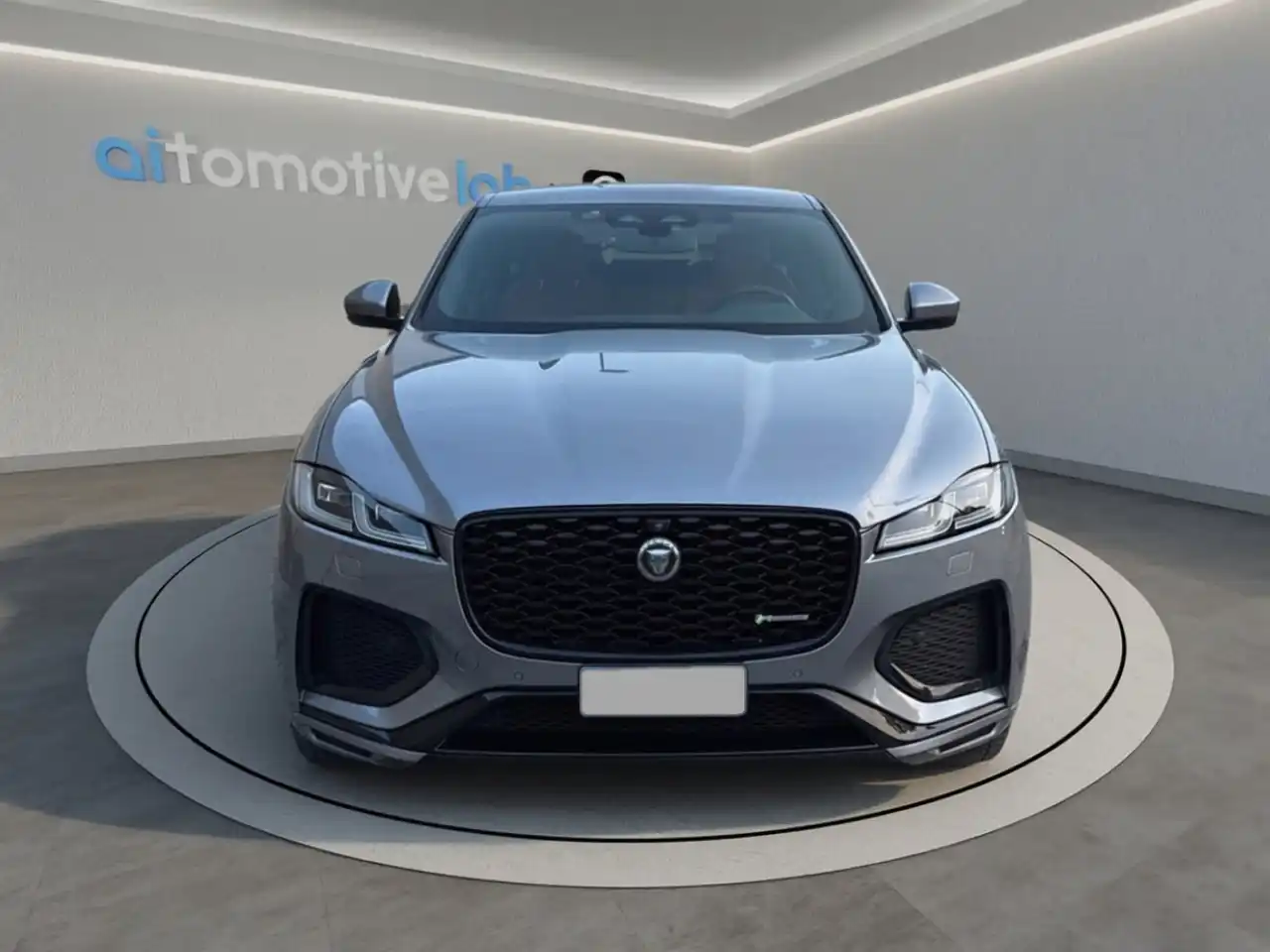
That is why plate handling makes more sense inside photo processing than as a separate step. With CarTake, the plate is handled during automatic processing: it can be hidden or replaced with a plate carrying the dealership's logo. The same photos then go into a Digital Room virtual showroom and also become videos and a 360° view of the vehicle; in a demo we check how you want the plate handled in each format.
Capture stays simple: the CarTake Photo app for dealerships guides the operator through the shot sequence on a smartphone, checks quality straight away and sends the photos to processing, where background, Digital Room and plate are handled before delivery to the website, portals and integrated multipublishers.
Branded plate vs blur: pros and cons
Both options keep the number out of public images. The difference is what replaces it.
- Blur or hidden plate: neutral and quick to understand; it works on any channel. On its own it adds nothing to the image, and a careless blur can look improvised.
- Dealer-branded plate: hides the number and turns the plate area into a small brand element, coherent with the Digital Room environment. It only looks right if it is applied the same way on every image and video of the stock, which in practice means an automated workflow.
- Mixed approaches are worth avoiding: switching between blurred, branded and visible plates within the same stock makes the gallery look inconsistent.
If you are deciding for a dealership, start from where the images are published and the look you want across all of them, then pick one option and apply it to the whole stock.
FAQ
Questions about blurring license plates
The most common questions from private sellers and dealerships preparing car photos and videos.
Hide or brand the plate on every car in your stock?
See in a demo how CarTake handles the plate during processing, together with Digital Room, video and the 360° view of the vehicle.