WhatsApp broadcast: lists, limits and when you need templates
What a broadcast list is, how to create and find one, the 256-contact and saved-number rules, broadcast vs group vs channel, and when a dealership should move to approved templates with opt-in and a CRM audience.
How WhatsApp broadcast lists work, their limits, how they compare with groups and channels, and when a dealership needs approved templates, opt-in and a CRM-driven audience.
Sooner or later every dealership tries it: a new model arrives, a service promotion starts, and someone opens WhatsApp and sends the same message to a few hundred contacts. The tool for that is the broadcast list. It is free and quick, and it has rules that explain why half the customers never receive the message. This guide covers how broadcast lists work, their limits, how they compare with groups, channels and the WhatsApp Business API, and when it is time to move to approved templates.
What is a WhatsApp broadcast?
A WhatsApp broadcast list sends one message to many contacts at once, and each person receives it as an individual chat from you. Recipients don't see each other, and replies come back to you privately. Only contacts who have saved your number receive it, and each list holds up to 256 contacts.
Think of it as a mail merge without the personalisation: the same text goes out to everyone on the list, but each recipient sees a normal one-to-one message. That makes broadcast lists more discreet than a group, and more limited than a proper campaign tool.
How to create a broadcast list on WhatsApp
Broadcast lists are created and sent from the phone app only. Menu names and positions change with app version and between Android and iPhone, so if a step doesn't match your screen, look for "broadcast" in the app's menus or settings.
On Android
- Open WhatsApp or WhatsApp Business and go to the Chats tab.
- Tap the three-dot menu › New broadcast.
- Select the contacts you want on the list.
- Tap the green check mark to create the list.
- Write the message and send it. It is delivered to each recipient as an individual chat.
On iPhone
- In many versions: Chats › Broadcast Lists (top of the Chats screen) › New List.
- In recent versions the entry may have moved into a menu or Settings. Update the app and look for "Broadcast lists".
- Add recipients, tap Create, then write and send the message.
To edit a list later, open it and go to list info: you can rename it, add or remove recipients, or delete the list. Removing someone from the list doesn't notify them.
How to find your broadcast lists in WhatsApp
This is one of the most searched WhatsApp questions, because broadcast lists don't always show up where you expect.
- Android: once you have sent a message, the list appears in your chat list like a conversation, with a megaphone icon. You can also type the list's name in the search bar. The three-dot menu may show a "Broadcast lists" entry.
- iPhone: look for "Broadcast Lists" at the top of the Chats screen. If it isn't there, check the menu in the Chats tab or Settings: the position has changed across versions.
- WhatsApp Business: in some versions broadcasts are grouped under the business tools.
- WhatsApp Web and desktop: you won't find them. Broadcast lists aren't supported on Web, Windows or Mac.
If a list seems to have disappeared, update the app first. On a number connected to the WhatsApp Business API with Coexistence, broadcast lists are turned off: existing lists become read-only and you can't create new ones.
WhatsApp broadcast limits and rules
These are the limits that matter in practice. Some come from WhatsApp's Help Center, others from Meta's documentation; where a rule depends on country or version, it's flagged.
- Saved-number rule: only contacts who have saved your number in their phone's address book receive the broadcast. Everyone else is silently skipped.
- 256 contacts per list. You can create as many lists as you like, but each one has this cap.
- Phone only: broadcast lists can't be created or used on WhatsApp Web, Windows or Mac.
- Monthly limits in some countries: WhatsApp has introduced monthly limits on broadcast messages for some users and countries. Check what your app shows.
- Business broadcasts: the WhatsApp Business app is rolling out "Business broadcasts" (under Tools) in a limited number of countries. Beyond any free allowance, sending uses prepaid message packs charged per delivered message. Availability and rules vary by account.
- Coexistence: if the number is also connected to the API, broadcast lists are turned off.
- Reports and blocks: recipients can block or report you. Sending unwanted messages puts the number at risk.
The saved-number rule is the one dealerships underestimate. A customer who bought a car three years ago, or who filled in a form on your website, has rarely saved the dealership's number. They are in your contacts; you are not in theirs. The broadcast reaches them only if both sides have saved each other.
Broadcast list vs group vs channel vs template campaign
WhatsApp offers four ways to reach many people. They solve different problems.
- Broadcast list: one message, each recipient in a private chat. Recipients don't see each other. Only contacts who saved your number, up to 256 per list, from the phone only.
- Group: a shared conversation. Every member sees every message and every reply, and members can see each other. Good for an owners' club; not for promotions to customers who don't know each other.
- Channel: one-way updates to followers who chose to follow. Admins' and followers' phone numbers are not shown to each other. Customers have to find and follow the channel, and there is no one-to-one conversation in the channel itself.
- Template campaign via the WhatsApp Business API: approved message templates sent to customers who have given consent (opt-in), from your CRM or platform. No saved-number requirement and no 256 cap, but Meta's messaging limits and per-message pricing apply. Delivery, reads, replies and clicks can be measured.
Rule of thumb: groups for communities, channels for open announcements, broadcast lists for a small number of known contacts, templates when the message is a campaign that has to reach the right customers and be measured.
Why dealerships hit the limits of broadcast lists
A dealership's audience for a campaign is usually large and comes from the CRM: customers due for a service, owners of a model being replaced, leads that went cold. Broadcast lists don't fit that shape.
- Consent. A promotion is marketing. You need to know who agreed to receive messages on WhatsApp, and a contact in a phone doesn't tell you that.
- Reach. The saved-number rule excludes many customers without telling you who was skipped.
- Size and effort. 256 per list means building and maintaining lists by hand, on one phone.
- No CRM audience. You can't say "everyone whose service is due next month". Lists are static and built from the address book.
- No tracking. You can open message info to see delivery and read status, but there is no campaign report, no clicks and no link to opportunities or appointments.
- No follow-up. When 40 people reply at once, the replies land on one phone, with no assignment and no automation.
When to move to WhatsApp templates
Templates are the way the WhatsApp Business API lets a business start a conversation. They are predefined messages, with variables and optional buttons, approved by Meta and classified as marketing, utility or authentication. For a dealership this means service reminders, appointment confirmations, stock alerts and promotions sent to the right customers, from the CRM, with consent.
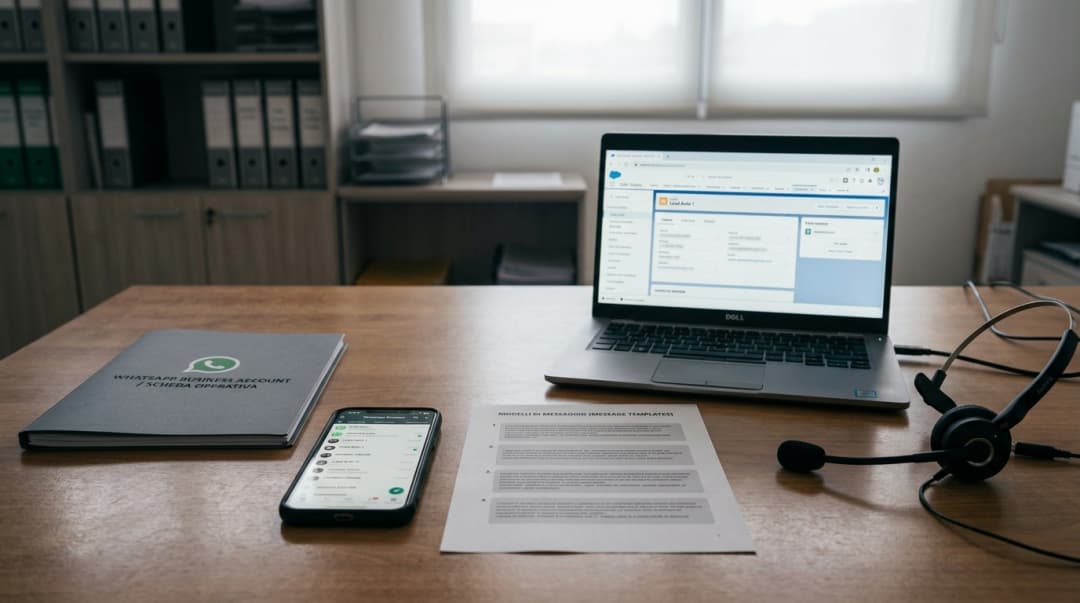
- Opt-in first. The WhatsApp Business Policy requires customer consent before you message them on WhatsApp. Record it per channel in the CRM.
- Audience from the CRM. Segments such as "service due", "lead without reply" or "owners of model X" replace manual lists.
- Approved template. Write it with variables (name, model, date) and buttons, submit it, wait for approval.
- Messaging limits. Meta caps how many unique customers you can message outside the 24-hour window in a rolling 24 hours. New business portfolios start at 250 and the limit grows with quality and volume.
- Pricing. Meta charges per delivered message, by category and country. Check the current rates on Meta's official pricing page.
- Handling replies. When a customer replies, a 24-hour window opens for free-form conversation. That is where a team, or an AI agent, takes over.
With MIA, campaigns are built on the same base: templates with media, buttons and variables are submitted to Meta from the platform, audiences come from CRM segments, and when a customer replies the AI continues the conversation with the campaign's objective, or hands it to the BDC or service team. How it works for a dealership is on the WhatsApp campaigns for dealerships page.
How to measure a WhatsApp campaign
A broadcast list tells you, at most, who read the message. A campaign should tell you what happened next. The metrics worth tracking:
- Sent, delivered and read: how many customers the message actually reached.
- Replies and button clicks: who engaged, and with which option.
- Link clicks: which links were opened, if the template includes them.
- Outcomes in the CRM: appointments booked, opportunities created, test drives. This is the number that matters.
- Opt-outs and blocks: a rising rate is a signal about audience or content.
MIA's execution report shows sent, delivered, read, replied and clicks for each flow, and the outcomes land in the built-in CRM. Compare campaigns on outcomes, not on read rates alone.
A practical path for a dealership
- Keep broadcast lists for small, personal use: a salesperson updating a handful of known customers.
- Move campaigns to templates on the WhatsApp Business API, with opt-in recorded in the CRM.
- If the team doesn't want to give up the phone app, check Coexistence: app and API on the same number. Remember that broadcast lists are turned off with it. More in WhatsApp Business on phone, PC and with AI.
- Prepare replies before you send: who answers, in which hours, and when the AI hands over.
For inbound messages, the first step is the automatic replies of the app: see WhatsApp Business auto replies. For conversations that continue after the first message, see the WhatsApp chatbot for dealerships.
FAQ
Questions about WhatsApp broadcast
The most common questions about broadcast lists, their limits and the alternatives for business campaigns.
Ready to move from broadcast lists to campaigns?
In a demo we show MIA's WhatsApp campaigns: approved templates, CRM segments, AI follow-up on replies and an execution report on your dealership number.